Precision AC Metering - Factory Calibrated. Zero Math.
Measure RMS voltage, current, signed real power, PF and tariff energy over I²C — physical units, no master-side math. Multiple modules on a 2-wire bus. Ready-to-use physical units for ESPHome, Arduino, and Python without configuration hell.
Open API · open-source libraries on GitHub · full docs
Why rbAmp
Four core differentiators.
Multiple modules on a 2-wire bus
Forget about running 4 wires for every single channel or running out of UART ports. Hook up your whole electrical panel onto just 2 shared I²C lines.
Factory calibration
Each module is individually calibrated on a test bench before shipping. You don't need a reference load or a multimeter to get ±0.5% accuracy out of the box.
Atomic Wh latch
One command closes/opens the period; energy computed master-side, matches utility intervals.
Open API + libraries
Documented register/command API + native open libs. Any stack or your own code.
Safe by Design
rbAmp is built so that mains never reaches the board. The module itself is entirely low-voltage — there is no high-power measurement circuit on it. Current is read by a CT clamp that never touches the wire, and the only mains reference at all (on voltage-sensing variants) is a galvanically isolated tap. Everything you wire — the I²C bus to an ESP32, Arduino or Raspberry Pi — is never at mains potential.

Not a sensor — a system.
Turn “the house used X kWh” into “this circuit, this device, right now.” Physical units over I²C — the breakdown a utility meter never shows.
Hunt the vampires
Resolve the standby floor: phantom supplies, idle chargers, the ~35 W that never sleeps. With the rbAmp CT, presence discrimination down to 10–30 mA per channel. (rbAmp CT)
Sub-meter every circuit
One module per load, or a 2–7-channel module per sub-panel. Per-branch RMS current, active power and master-side Wh — fridge, HVAC, office, EV, each on its own line.
Balance solar & battery
One broadcast latch (I²C general call) snapshots every module in the same instant; read consumption − export home-wide, microsecond-aligned. (Standard — HW bidirectional)
Catch the demand peak
PERIOD_MAX_P_W captures the interval peak that sets demand tariffs — track it, shave it.
Arduino
RbAmp class over Wire. Wh accumulator, retry + sanity checks, multi-module.
Python (CPython / MicroPython)
smbus2 + machine.I2C · Raspberry Pi.
pip install rbamp. Async streaming.
ESPHome / Home Assistant
External component → ready HA sensors in YAML.
sensor.platform: rbamp.
NVS Wh persistence, multi-module.
Componenta & Docs → ·
GitHub
ESP-IDF
C component on
i2c_master (IDF ≥5.2).
rbamp_new/begin/read_all. Period snapshot, multi-channel.
Use it your way — with your stack.
The module speaks plain I²C and returns physical units. Pick the native library for your platform.
Pick the line for your project.
Discover what is best for you.
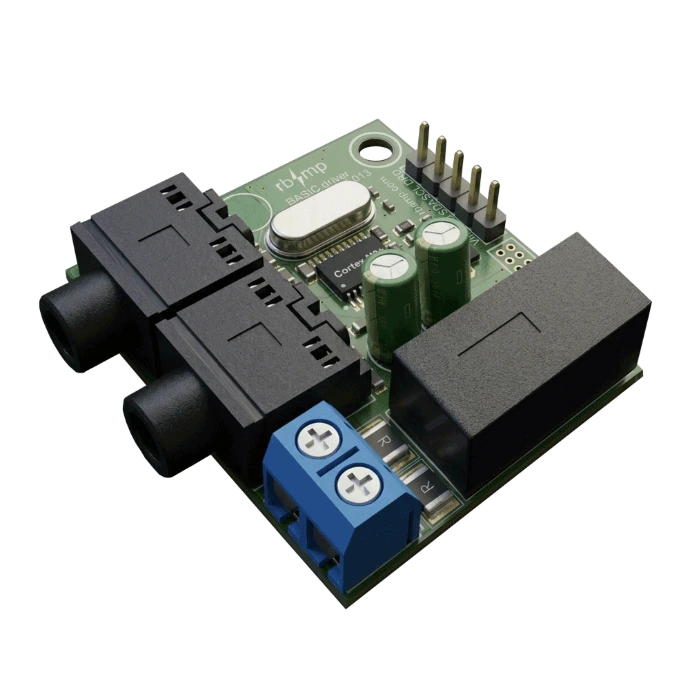
BASIC
Perfect for household appliances, boilers, first DIY meter, sub-metering pure consumers and crypto rigs. Classic disc-meter logic
Start Now- Consumption metering
- DIY-first
- Unidirectional Wh
- 1–7 current channels
- 2 atomic Wh latch
STANDARD
Designed for Solar & Battery Systems. Tracks grid import and solar export separately. Don't let your solar energy ruin your consumption charts.
Coming Soon- Bidirectional
- Signed power ( export visible)
- multi-channel
- 8 atomic Wh latch
- 0.3% accuracy
One host. A whole panel.
rbAmp scales by the circuit, not by the device.
One open host (ESP32 or Raspberry Pi) on one isolated I²C bus, and as many modules as your panels need — single-channel on each load, 2–7-channel on a sub-panel from one install point. Add a branch without rewiring or swapping anything. The fleet API reads every module in a single call and returns total power, the per-circuit breakdown and the feed − Σ(loads) balance. Grow from a single DIY meter to a building-wide network — same modules, just add nodes.
1 bus
Isolated I²C, dozens of modules
1–7 ch
Channels each module
+1 circuit
No rework
1 call
Fleet read → whole-site data
From wire to data in 3 steps
Ready open libraries for every platform — from wire to data in minutes.

1. Connect
Wire VCC, GND, SDA, SCL — the module is a standard I²C slave.

2. Add the library
Drop the ESPHome component, Arduino lib, or
pip install rbamp.

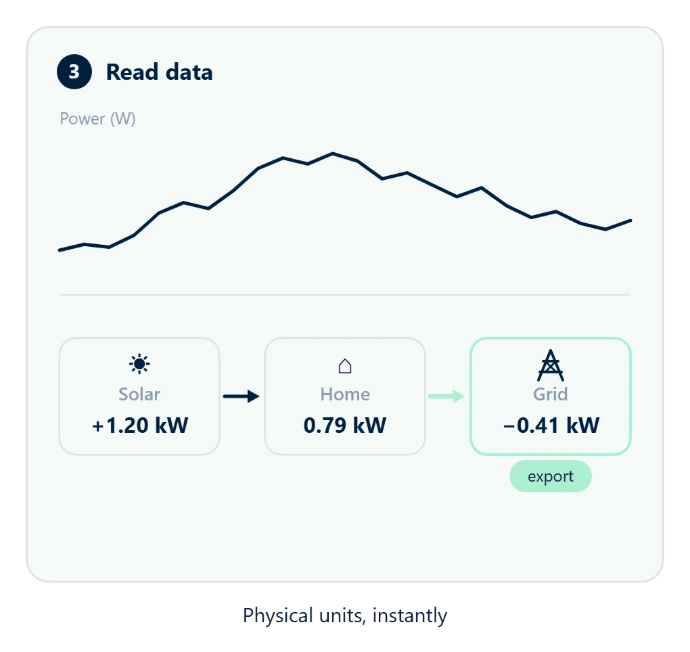
3. Read data
Physical units over I²C — voltage, current, power, energy. Done.